
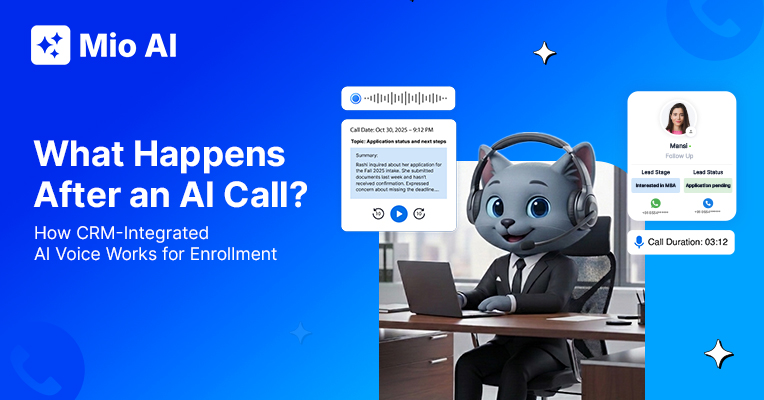
AI calling CRM integration is what separates a voice agent that simply talks from one that actually works inside your enrollment system. Most teams focus on what the AI says during the call. The more important question is what happens the moment the call ends. Your counsellors spend hours every week logging call notes, updating lead stages, and setting follow-up reminders manually. That gap between the call and the CRM update is where leads go cold, context gets lost, and enrollment teams lose ground. CRM-integrated AI calling closes that gap entirely. This post walks through exactly what that looks like, step by step.
The Problem with AI Calls That Do Not Sync to Your CRM
Not all AI calling tools are built the same way. Many work as standalone diallers. They make the call, conduct the conversation, and then stop. As a result, the data stays inside the calling tool and your CRM knows nothing happened.
This means your team still has to export the call log, interpret the output, and update the lead record manually. In practice, you have replaced a human caller with an AI caller, but the post-call workflow remains entirely manual. The efficiency gain is partial at best.
This is the core limitation of standalone AI voice tools. They automate the conversation. They do not automate what follows.
What AI Calling CRM Integration Actually Means for Enrollment Teams
True AI calling CRM integration means the voice agent and your CRM operate as one system. The AI reads from the CRM before the call. It knows the student’s name, program of interest, last interaction date, lead stage, and any notes the counsellor has logged. That context shapes the entire conversation.
After the call, the system writes back to the same CRM record. Nothing is exported. Nothing is manually entered. The AI voice agent for student enrollment handles both the outreach and the data capture as a single, connected action.
This is the foundation of what Mio AI does. Each call draws on CRM context and resolves back into that same context the moment the conversation ends.
Step by Step: What Mio AI Does After Every Call
The post-call workflow in Mio AI follows a consistent sequence. Here is exactly what happens.
First, Mio AI auto-generates a call summary. This summary captures the intent of the conversation, what the student asked, what was confirmed, and whether the student showed interest or hesitation. Your counsellor can read it in under thirty seconds.
Second, Mio AI updates the lead stage and disposition without waiting for a counsellor to act. If the student confirmed interest and asked about next steps, the lead moves to a qualified stage. A callback request triggers a reminder automatically. If the student showed no interest, the disposition updates and the lead exits the active follow-up queue.
Third, the system fires the next action based on the call outcome. This could be an SMS with a brochure link, an email with a deadline reminder, a task assigned to a counsellor, or a handoff to a human for a high-intent conversation. No one has to decide what comes next.
Fourth, Mio AI stores the full call recording and transcript against the CRM record. Your team can listen to the call, read the transcript, or search it for specific keywords. This creates a complete record for every student interaction.
Why This Matters for Enrollment Managers
The value of this workflow is not just efficiency. It is consistency. Every student who receives an AI call gets the same quality of follow-up. No lead slips through because a counsellor forgot to log the call. No follow-up action is skipped because the team was stretched.
For enrollment managers, this changes what is reportable. You can see dial-to-response rates, qualified lead counts by campaign, sentiment patterns across calls, and conversion rates from AI-handled outreach. That level of visibility does not exist when post-call data is logged manually and inconsistently.
Beyond that, integration with an education CRM means your counsellors only receive escalations worth their time. The AI handles qualification and context capture. The human handles conversion.
CRM-Native AI Voice vs Standalone AI Voice Tools
Not every AI calling product offers true AI calling CRM integration. The distinction between CRM-native and standalone tools matters before you evaluate any vendor.
| Feature | CRM-native AI voice | Standalone AI voice tool |
|---|---|---|
| Context before the call | Reads full CRM history, stage, and notes | Limited context unless manually passed |
| Call triggers | Auto-triggers from CRM events | Fixed schedules or manual API calls |
| Post-call CRM update | Automatic — stage, summary, and disposition updated instantly | Manual export or limited sync |
| Reporting | Dial-to-conversion ROI, sentiment analysis, campaign-level | Basic call logs |
| Multi-agent orchestration | Qualifies, reactivates, and reminds in one platform | Usually single use-case |
Standalone tools are often cheaper to trial. However, at enrollment scale, the manual bridging between the tool and your CRM negates the efficiency gain. For a broader look at what AI voice does across the outreach workflow, read this guide on the AI voice agent for student outreach.
For teams running reactivation campaigns alongside regular outreach, the integration goes further. When the AI calls a student who went quiet three months ago, it pulls the original inquiry context from the CRM. The conversation is contextual, not cold. For a full breakdown of how that works, read this post on AI lead reactivation for enrollment.
How to Know If Your Current Setup Is Missing This
Three clear signals indicate your AI calling setup is not fully CRM-integrated.
Your counsellors still spend time after each AI call logging what happened. If manual data entry follows every call, the integration is incomplete. Another signal: your CRM lead stages do not update automatically, which means someone moves each lead by hand. A third sign is that your team decides follow-up actions after the fact rather than having the system trigger them from the call outcome.
In a CRM-native setup, none of this requires human intervention. The lead management system that underpins Mio AI handles trigger logic natively within the enrollment CRM.
How Mio AI Voice Delivers End-to-End AI Calling CRM Integration
Mio AI Voice is integrated with Meritto, using enrollment context such as student stage, programme interest and previous interactions to power relevant voice conversations. It does not connect via a third-party API. Instead, it operates within the same data layer. This means there is no export, no field mapping, and no delay between a call completing and the CRM record updating.
When a lead reaches the trigger condition for a call, such as a lapsed inquiry, a missed deadline, or a confirmed interest that needs follow-up, Mio AI Voice initiates the call automatically. It conducts the conversation with full student context and updates the CRM record within seconds of the conversation ending.
Your team sees the updated record the next time they open the CRM. The AI has handled the outreach, the qualification, the logging, and the next-action trigger. The counsellor picks up from there, focused only on conversations that require a human.
The question for any enrollment team is not whether this kind of integration is useful. It is whether the tool they are evaluating actually delivers it.
Want to see how Mio AI works in practice? Schedule a demo at getmio.ai and see it in action inside your enrollment workflow.